Verified solutions for Error 403 Region Lock, 429 Quota Exhaustion, write EIO Broken Pipe crashes, and No-TUN loopback proxying. All solutions are 100% open-source and run locally on your machine.
Universal Recommended Fix
1-Click Automated Diagnostics & Patch Pipeline
Instead of manually inspecting binary offsets or modifying JavaScript bundles, run Antigravity Cleaner. It automatically diagnoses active proxy ports (10808, 2080, 7890), patches all 4 eligibility targets, silences write EIO pipes, and creates an isolated launcher:
curl -sSL https://raw.githubusercontent.com/dalroot/antigravity-cleaner/main/install.sh | bash && ag-cleaner patch all
On Windows PowerShell:irm https://raw.githubusercontent.com/dalroot/antigravity-cleaner/main/install.ps1 | iex
Error 403 Forbidden • Sanction Gate
"Service is not available in your country" / Region Lockout
Root Cause: Google Antigravity enforces client-side eligibility gate checks inside the Electron wrapper, the CLI daemon, and the internal VS Code extensions alongside upstream Geo-IP header verification. When an unsanctioned IP or region code is detected, Antigravity revokes the active session and forces a redirect to the login screen.
HTTP 403 Forbidden: Your current account is not eligible for Antigravity, because it is not currently available in your location.
Verified Resolution:
Neutralize Client-Side Gatekeeper: Run ag-cleaner patch all (or click [Auto-Fix] in GUI). This overrides the isGoogleInternal and region authorization functions across all 4 software targets.
Launch via Isolated Loopback Socket: Run ag-cleaner launch. This passes --proxy-server=socks5://127.0.0.1:<port> directly to the process, routing only the IDE through your local VPN while keeping the rest of your system on direct high-speed internet.
Avoid Global TUN Mode: TUN adapters route whole-system traffic, induce MTU packet fragmentation, and trigger Middlebox DPI disconnections.
Root Cause: Autonomous agents generate rapid bursts of tool invocations, bash executions, and transcript logging. When local token tracking records become desynchronized from Google Cloud's upstream quota counters, the client freezes in a persistent 429 state even after waiting out the quota window.
Error 429: Resource has been exhausted (e.g. check quota). Too Many Requests.
Surgical Reset Guarantee (Zero Chat Loss):
Click [Reset 429] in the Retro GUI or run:
ag-cleaner clean
Zero Data Loss: Unlike crude scripts that delete the entire globalStorage directory, Antigravity Cleaner surgically targets only 16 corrupted telemetry and rate-limit cache files. Your cookies, active Google login, and workspace chat archives are 100% preserved.
Stream Crash • write EIO / Broken Pipe
"Agent terminated due to error" & Unhandled Pipe Breakdowns
Location: Node.js IPC Stream • Google Cloud Streaming RPC
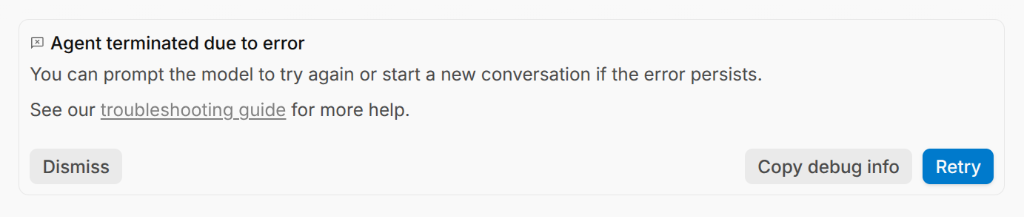
Agent terminated due to error
You can prompt the model to try again or start a new conversation if the error persists.
See our troubleshooting guide for more help.
Dismiss | Copy debug info | Retry
Root Cause: Two compounding factors trigger this crash: 1) Verbose console and telemetry logging overflows the inter-process communication buffer, causing an unhandled write EIO exception. 2) ISP Middlebox firewalls drop silent streaming inference connections while the AI model is performing deep multi-step thought planning.
Instant Shield:
Execute ag-cleaner patch all. Our Zero-Log ASAR Shield silences raw stdout/stderr write pipes, intercepts broken stream exceptions gracefully, and enforces an aggressive 15-second TCP KeepAlive socket heartbeat to maintain active edge server connectivity.
Connection Dropout • DPI & Telemetry Leak
"Unknown: There was a network issue connecting to the server"
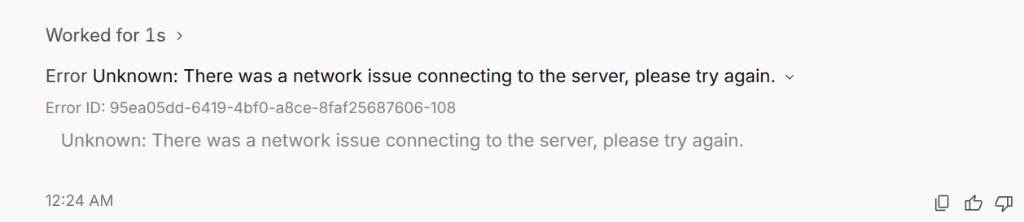
📸 Visual Proof: Network drop error with unique Error ID (e.g. 95ea05dd-6419-4bf0-a8ce-8faf25687606-108).
Error Unknown: There was a network issue connecting to the server, please try again.
Error ID: 95ea05dd-6419-4bf0-a8ce-8faf25687606-108
Unknown: There was a network issue connecting to the server, please try again.
Root Cause: National DPI filters terminate idle TLS sessions exceeding 30 seconds of inactivity. Additionally, unshielded background telemetry probes occasionally leak your unmasked direct domestic IP, causing Google Cloud edge servers to reset the gRPC stream.
Verified Solution:
Launch via ag-cleaner launch. The process wrapper injects 8 flags that completely disable background Google telemetry beacons, while keeping the primary streaming connection pinned to your chosen loopback SOCKS5 proxy port.
Authentication Block • 403 That's An Error
"403. That's an error. /auth-success"
Target: OAuth 2.0 Loopback Redirect Callback
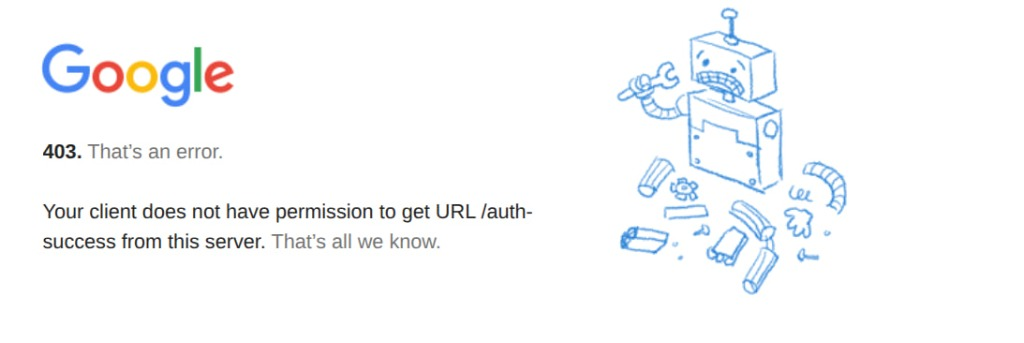
📸 Visual Proof: Google Accounts blocking OAuth callback with 403 Forbidden on /auth-success.
Google: 403. That’s an error.
Your client does not have permission to get URL /auth-success from this server. That’s all we know.
Root Cause: When authenticating via the browser, Google checks the IP address of the local loopback redirect. If your browser routes the callback without proxy encapsulation or with mixed DNS resolution, Google flags the request as coming from an unauthorized geographic zone.
Instant Fix:
Run ag-cleaner patch all. Antigravity Cleaner patches core authentication flags (enforcing enterprise token mode) and purges tainted browser session cookies. Ensure your web browser uses the exact same proxy or clean DNS when completing the sign-in modal.
Target: Local Proxy Client (v2ray, Xray, Clash, NekoBox)
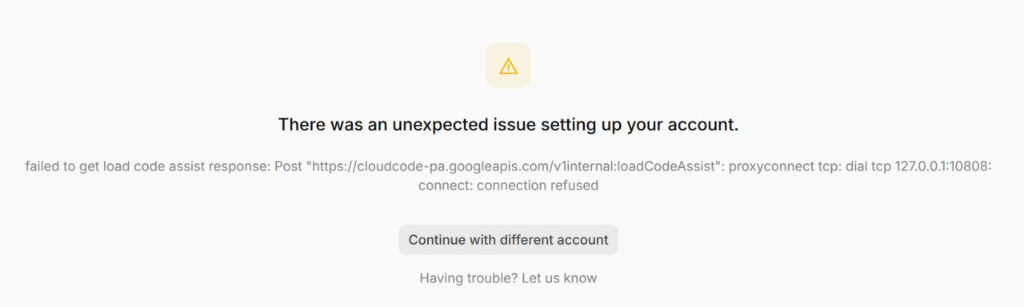
📸 Visual Proof: Antigravity unable to reach proxy on port 10808 during loadCodeAssist initialization.
failed to get load code assist response: Post "https://cloudcode-pa.googleapis.com/v1internal:loadCodeAssist":
proxyconnect tcp: dial tcp 127.0.0.1:10808: connect: connection refused
Root Cause: The IDE is looking for an active proxy at port 10808, but your proxy client (Clash on 7890, NekoBox on 2080, or Hiddify) is running on a different port or was accidentally closed.
Automated Diagnostics:
Run ag-cleaner doctor. Cleaner's diagnostic engine scans all active loopback sockets, detects your running proxy port automatically, and re-aligns the IDE proxy flag without manual configuration.
State Corruption • Failed to Fetch
"There was an unexpected issue setting up your account. Failed to fetch"
Target: Chromium IndexedDB • DIPS Cookie State
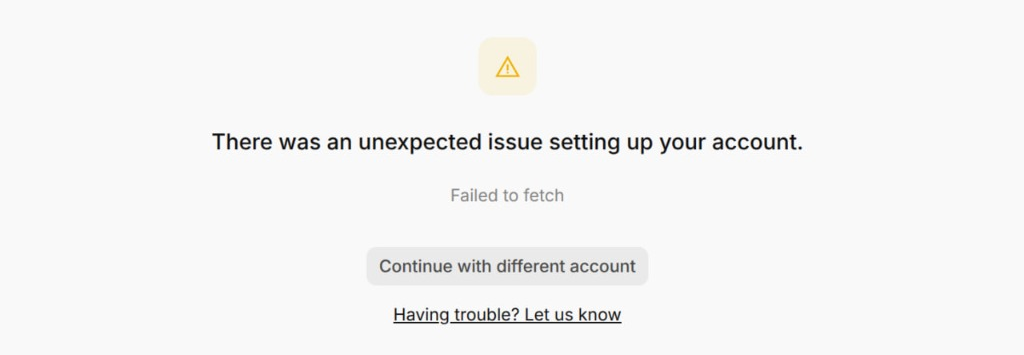
📸 Visual Proof: Persistent setup screen crash due to corrupted IndexedDB state records.
There was an unexpected issue setting up your account.
Failed to fetch
Continue with different account | Having trouble? Let us know
Root Cause: Corrupted DIPS database records and orphaned WebSocket caches in Electron application state prevent the onboarding handshake from concluding.
Instant Fix:
Run ag-cleaner clean. It clears orphaned WebSocket caches and locks in 0.002 seconds while keeping all user code, extensions, and chat archives intact.
Startup Lockout • Dead PID Singleton
Antigravity Won't Open After System Sleep or Force Quit
Target: ~/.config/Antigravity/SingletonLock • Linux / macOS
Root Cause: If your system suspends, hibernates, or the IDE is terminated abruptly, Chromium leaves an orphaned lockfile at ~/.config/Antigravity/SingletonLock pointing to a dead PID. Subsequent launches detect the lockfile, assume another instance is running, and exit immediately without rendering a window.
Automated Guard:ag-cleaner launch automatically inspects and cleans stale singleton locks prior to launching the IDE every time!
Architecture • No-TUN Loopback Proxy
Route Only Antigravity Through Proxy (Zero System Latency)
Supported Protocols: SOCKS5, SOCKS5h, HTTP/HTTPS • Port Auto-Detect
Why Traditional TUN Mode Hurts Performance: System-wide TUN adapters tunnel all device network interfaces. This causes packet loss, breaks local developer servers (localhost:3000, localhost:8080), slows down terminal downloads, and breaks domestic banking or intranet sites.
Cleaner's Process-Level Routing:
Automatically detects active proxy listeners on loopback:
10808 (v2ray/Xray), 2080 (NekoBox/Hiddify), 7890 (Clash/Mihomo), 1080 (Tor/Standard SOCKS).
Launches Antigravity with --proxy-server=socks5://127.0.0.1:<detected_port>.
Generates a permanent 1-click desktop launcher (Antigravity.desktop on Linux, Antigravity.lnk on Windows, Antigravity-Proxy.command on macOS) so you never need to remember command-line arguments.
Antigravity Cleaner is completely free, 100% offline, and open-source under the Apache 2.0 license. Download the standalone Retro GUI or install the CLI tool in seconds.